Vendors
Vendors are third-party carriers or service providers in your logistics network. Unlike internal drivers and vehicles, a vendor represents an external company that provides their own drivers and fleet.
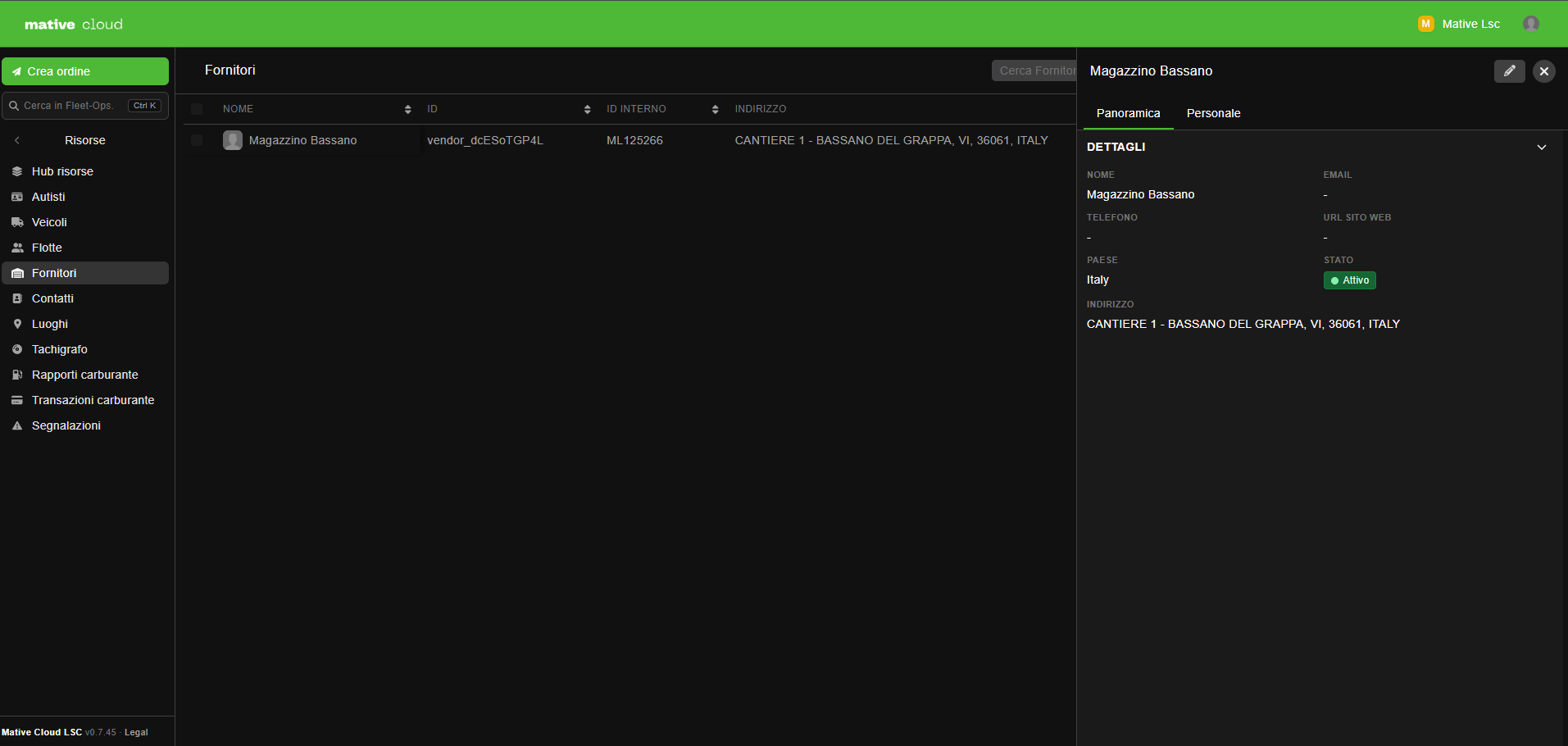
Vendor Attributes
| Field | Description |
|---|---|
| Name | Vendor company name |
| Contact email address | |
| Phone | Contact phone number |
| Website | Vendor's website URL |
| Country | Primary operating country |
| Business ID | Business registration or tax number |
| Type | Carrier, courier, partner, etc. |
| Place | Vendor's physical address or headquarters |
| Status | active, inactive, suspended |
| Notes | Internal notes about this vendor |
Vendor vs. Contact
| Entity | Represents |
|---|---|
| Contact | An individual person (customer, supplier, facilitator) |
| Vendor | A company providing logistics services with its own driver pool and fleet |
Creating a Vendor
- Navigate to Fleet Management → Resources → Vendors
- Click + New Vendor
- Enter vendor name, contact details, and type
- Link a Place for the headquarters or dispatch hub
- Save
Driver & Fleet Assignment
Vendors can have registered drivers and vehicles that are included in Orchestrator allocation runs when the vendor is selected as the order's facilitator.
Integrated Vendors
Integrated Vendors connect to external logistics platforms via API. When an order is assigned to an integrated vendor, it is automatically relayed to the partner platform, which fetches quotes and manages its own fulfillment.
This enables multi-carrier orchestration from a single Mative Cloud Fleet Management console.
Order Facilitator Role
On each order, a vendor can be set as the Facilitator — the entity responsible for executing the delivery. This is separate from the individual driver assignment and enables clear accountability in multi-vendor operations.
Sub-Organizations
In multi-tenant setups, vendors can relay orders to other organizations in the network, enabling cross-company delivery orchestration.